
Developed in partnership with the Département du Gard, this application is used for document management of social cases managed by French departments, such as approval files for childminders and family assistants (AssMat/AssFam), child welfare services (ASE) and the Departmental House for Disabled Persons (MDPH).
This application is specifically designed for French organizations but can be adapted to your needs.


Pristy Social in a nutshell
- a simple and easy-to-use application
- automatic classification
- connection to your business application (Genesis, Solis, etc.)
- adapts to your filing plan
- one space per case type
- rights management based on case types
- documents classified ready for archiving
Simple to use...
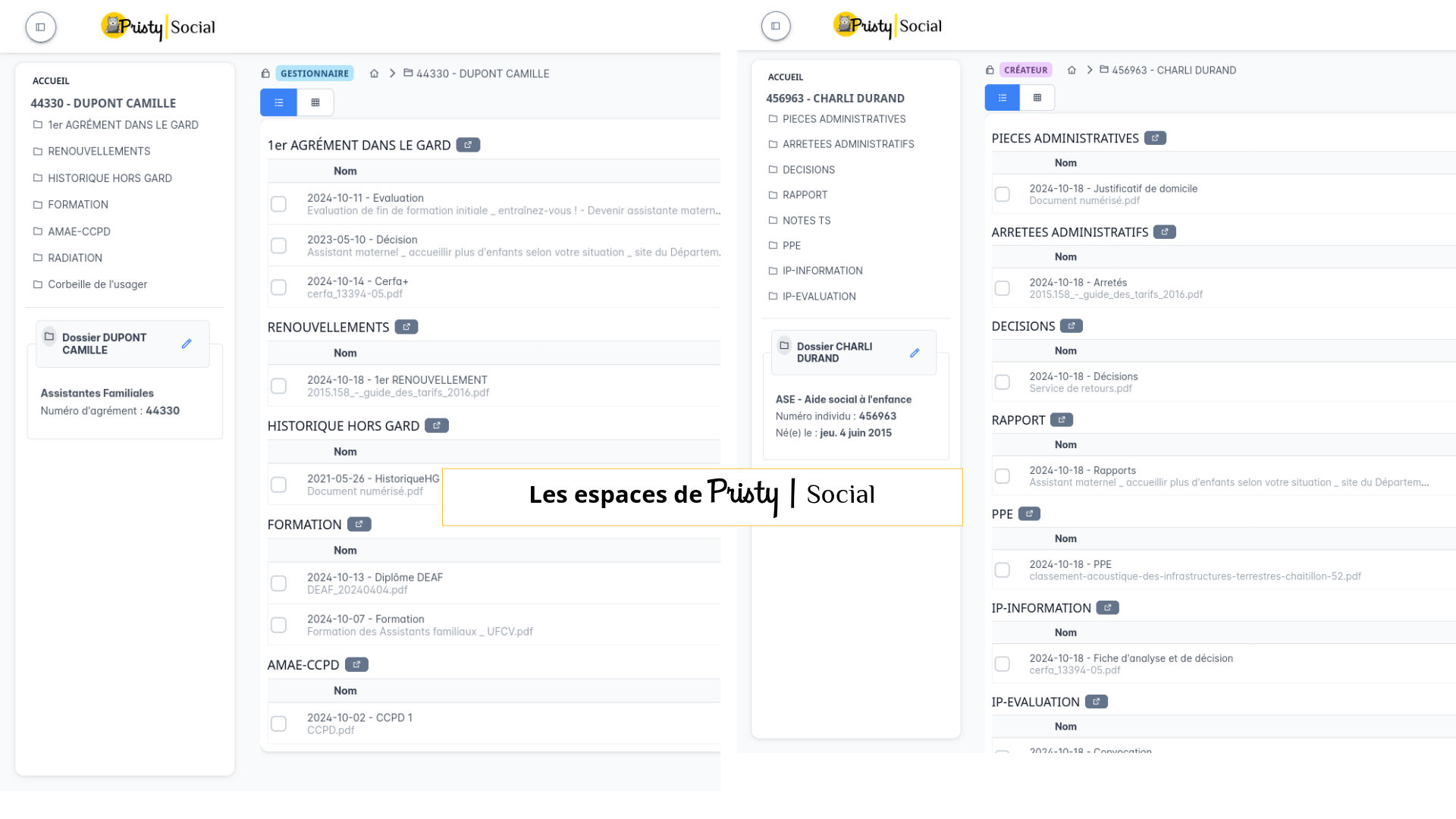
Each case type has its own filing plan
There are different types of social cases:
- Childminders and Family Assistants (AMAF)
- Child Welfare Services Users (ASE)
- Departmental House for Disabled Persons (MDPH)
- Housing Solidarity Fund (FSL)
- Personalized Autonomy Allowance (APA)
- Active Solidarity Income (RSA)
- (non-exhaustive list)
Each case type doesn’t have the same processing or the same needs. For each type, there can be a different filing plan and data model. Our application takes these distinctions into account and adapts to your filing plans.

Automatic classification
Whether your documents come from a business application or are uploaded directly, their classification is done automatically based on your filing plan.
Import, define a type, enter the reference date: Pristy takes care of the rest.
Users don’t have to remember the filing plan for files and documents to always comply with it. Both import and consultation are made easier!
Note: this ensures a defined nomenclature for archiving and simplifies your case transfers between departments. There’s no need to go through the data again to archive files.

Guided navigation
Access a case by searching for:
- its identifier (approval number, user number, etc.)
- its last name/first name.
Quickly access your recently viewed cases.
➝ Connectors
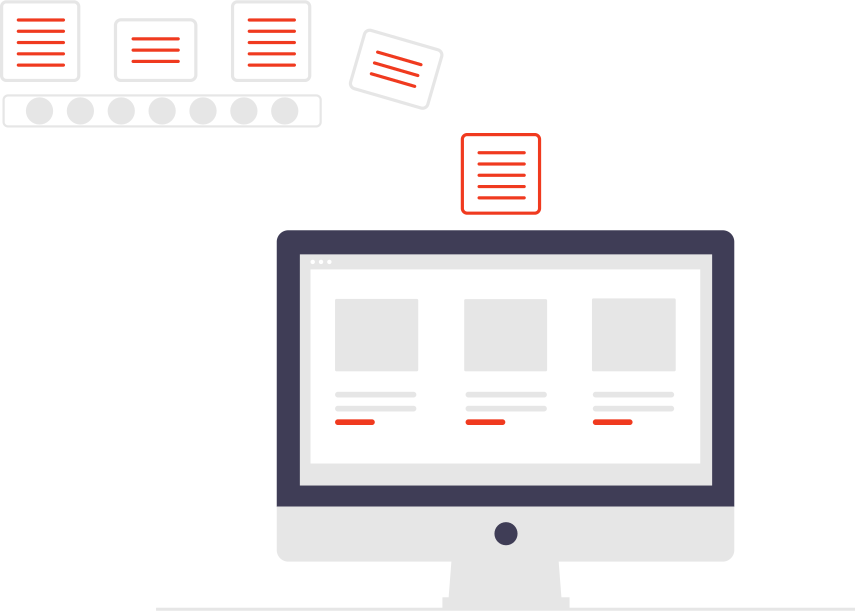
We have developed connectors with Genesis & Solis so that your documents are directly integrated and classified in the EDM from these tools.
For example, for Solis: we have developed a connector that allows you to open your case in Pristy Social directly from your Solis interface. Solis editions can be automatically integrated into Pristy Social.
Key features

- 3 different views allowing everyone to keep their habits
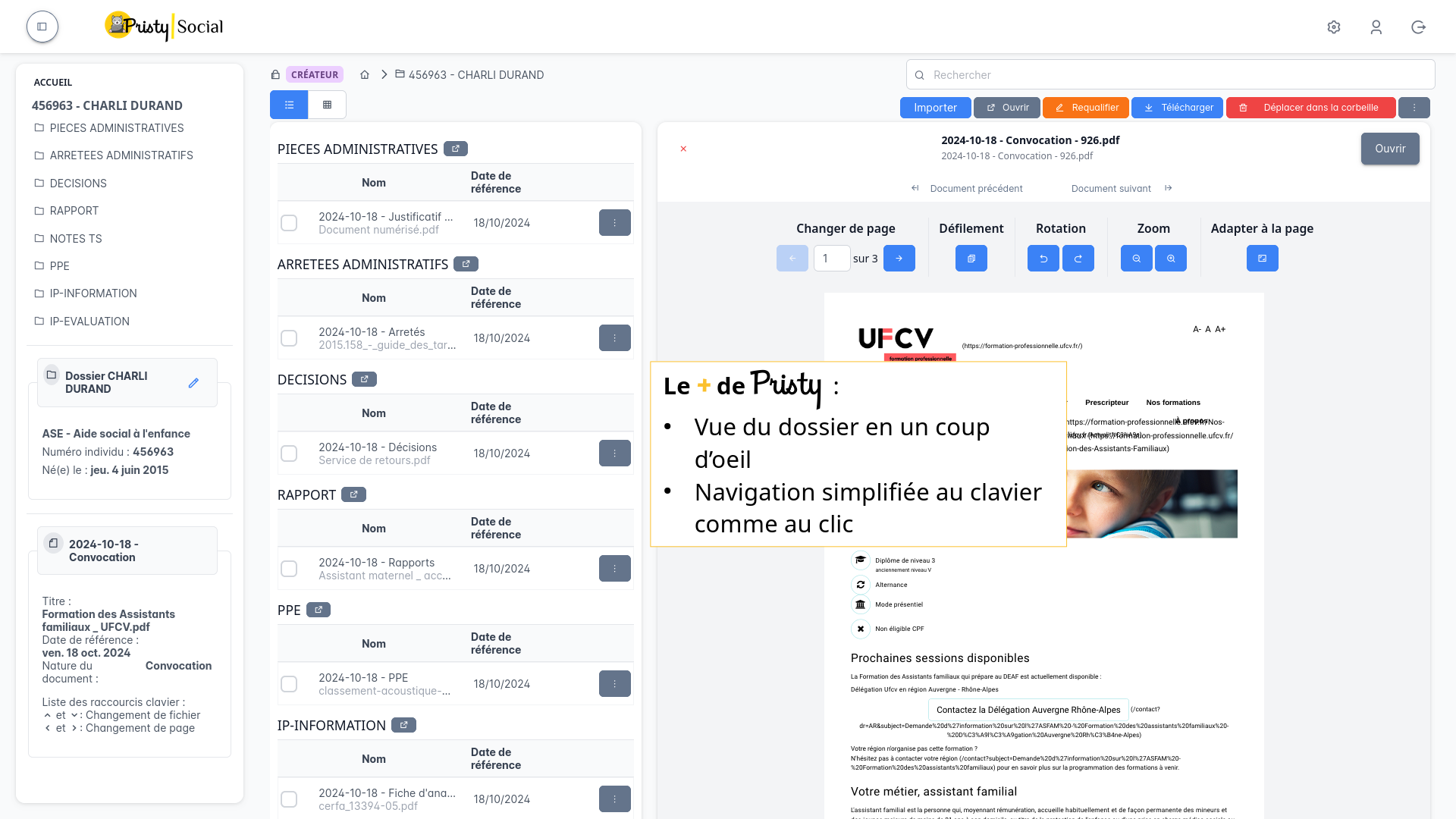
- Case visualization at a glance & keyboard navigation
Nos références :

Why Pristy Social?
We are developing this application with the support of the Département du Gard to bring together in a single EDM all documents that are not yet digitized or that are produced by social business applications (Genesis, Solis).
This way, all documents are centralized, easily accessible and ready for archiving.
Upcoming features
Pristy is evolving fast and we have lots of ideas!
In our roadmap, we have among others:
- adding MDPH cases, then FSL, APA, RSA cases
We are developing Pristy for local authorities, so if you think a need or feature is missing: contact us!
What budget for Pristy Social?
On quote
You host your data
on-premise
- Hosting & installation
- On-premise installation & deployment
- Integration of your filing plans
- Annual support
- Updates (included in support)
- Choice of modules (case types to integrate)
- Connector to a business application
- Data migration from a legacy service
- OCR option
Turnkey solution
saas
- Hosting & installation
- On-premise installation & deployment
- Integration of your filing plans
- Annual support
- Updates (included in support)
- Choice of modules (case types to integrate)
- Connector to a business application
- Data migration from a legacy service
- OCR option
Available directly or, for French public buyers, through the multi-vendor offers of purchasing centres (UGAP, CANUT, Resah): how to acquire Pristy?
Request your quote!
Contact us
The information collected on this form are saved in a file processed by Jeci (16 Rue du Cap Vert - 21800 Quetigny, info@jeci.fr, +33 9 72 38 21 92) in order to respond to your request for contact. To find out more about the management of your personal data and to exercise your rights, please refer to the notice attached to this link. The data marked with an asterisk in the questionnaire must be provided. Otherwise we will not be able to contact you. By filling in this form, you agree to the information entered being used for the purpose of the contact request.
Phone
09 72 38 21 92
How to get Pristy
Order Pristy today and benefit from modern, intuitive document management
Pristy also includes Pristy Portal application that offers profile and user pages. Pristy Portail is included with the purchase of Pristy Actes and Pristy Espaces (solo or together). Pristy Portail can also be purchased on its own.
Go to our rates page to find out more. Request your quote now and take advantage of our low rates and the chance to give your opinion on future features!
Eager to try Pristy sign up for our demo!
Our applications
Foundation: Pristy EDM


Business applications



Solutions around EDM


Unlock your investment budgets and have Pristy develop at your convenience
The digital world has accelerated in the last 2 years.
- Missing an application?
- Does the system you have in place no longer meet your expectations or needs?
Unlock your investment budgets to finance the development of business applications (free and sovereign!) that meet the needs of your users.